A Guide to Dynamic Mobile App Security Testing
A Guide to Dynamic Mobile App Security Testing
Why Dynamic Mobile Application Security Testing Is Critical for Modern Apps
Dynamic mobile application security testing is the practice of analyzing a running mobile app in real time — interacting with it like an attacker would — to uncover vulnerabilities that only appear during execution.
Here’s what you need to know at a glance:
| Question | Quick Answer |
|---|---|
| What is it? | Security testing performed on a live, running mobile app to find runtime vulnerabilities |
| How does it work? | Simulates real attacks on the app while it runs, observing behavior and capturing evidence |
| Who needs it? | DevSecOps teams, security engineers, penetration testers, and mobile dev teams |
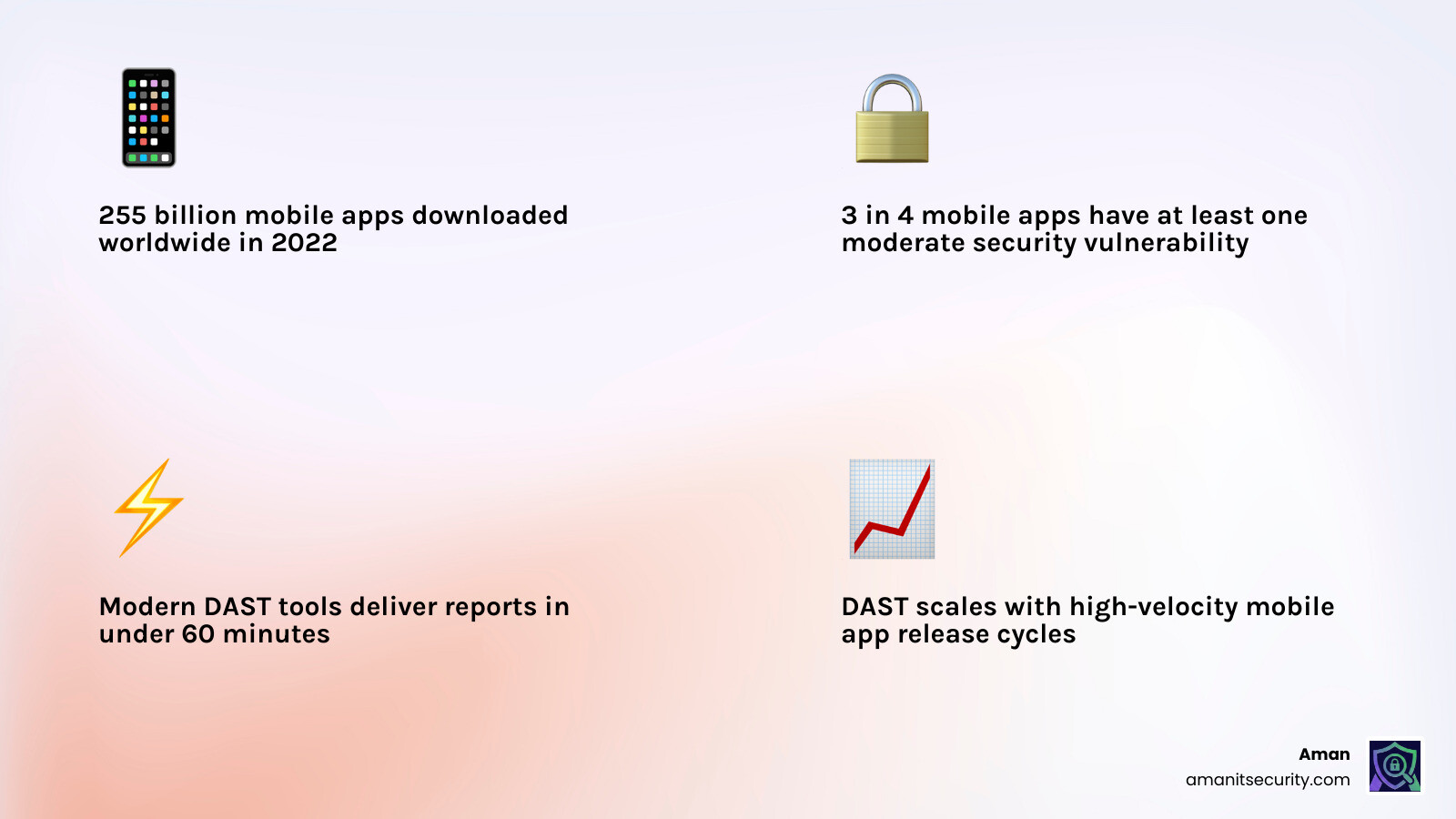
| Why does it matter? | 3 in 4 mobile apps contain at least one moderate security vulnerability |
| How fast are results? | Modern DAST tools can deliver detailed security reports in under 60 minutes |
| Is it replacing pen testing? | Increasingly yes — manual pen testing can’t scale with today’s release velocity |
The scale of the problem is hard to ignore. In 2022, over 255 billion mobile apps were downloaded worldwide — and that number keeps climbing. Every one of those apps is a potential attack surface. Yet most organizations still rely on manual testing methods that are slow, inconsistent, and leave dangerous gaps between releases.
Without runtime testing, critical vulnerabilities — authentication bypasses, insecure data handling, logic flaws — stay hidden until they’re exploited in production.
I’m Zezo Hafez, an IT manager and cloud architect with over 15 years of web development experience, and I’ve seen how dynamic mobile application security testing transforms a reactive security posture into a proactive one. In this guide, we’ll walk you through everything you need to integrate DAST effectively into your mobile development workflow.
What is Dynamic Mobile Application Security Testing?
When we talk about dynamic mobile application security testing, we are talking about “outside-in” testing. Imagine trying to find a leak in a pipe. You could look at the blueprint of the plumbing (that’s static analysis), or you could turn the water on and see where it sprays out (that’s dynamic analysis).
DAST involves executing the mobile application on a real device or an emulator and interacting with it. We aren’t just looking at the code; we are looking at how that code behaves when it hits the real world. This includes how it talks to the operating system, how it stores data in local memory, and how it communicates with backend APIs.
To ensure we are hitting the right marks, we often align our testing with the Mobile App Security Verification Standard (MASVS), which provides a baseline for what “secure” actually looks like in a mobile context.
The Core Principles of dynamic mobile application security testing
The magic of DAST lies in its perspective. It doesn’t care how pretty your functions are written; it cares if they can be broken.
- Outside-In Perspective: DAST simulates a black-box attack. The tester (or the automated tool) doesn’t necessarily have access to the source code. They interact with the UI, the network traffic, and the device storage just like a hacker would.
- Functional Testing: It validates that security controls actually work. For example, you might have code for encryption, but DAST checks if that encrypted data is actually being leaked into the device logs during runtime.
- Behavioral Observation: It monitors how the app reacts to unexpected inputs. If we “fuzz” a login field with 10,000 characters, does the app crash, or does it leak a database error?
While Static Code Analysis is great for catching “lazy” coding early on, it often misses complex logic flaws. If you’ve ever wondered How to Implement SAST for Mobile Apps Without Losing Your Mind, the secret is usually pairing it with DAST to verify which “potential” bugs are actually “exploitable” risks.
| Feature | SAST (Static) | DAST (Dynamic) |
|---|---|---|
| Testing State | Non-running (Source/Binary) | Active (Running) |
| View | White-box (Inside-out) | Black-box (Outside-in) |
| Finds | Coding errors, hardcoded keys | Logic flaws, server config, runtime leaks |
| False Positives | Higher | Lower (Proof-based) |
| SDLC Phase | Early Development | Testing / Staging |
Mobile DAST vs Traditional Web DAST
A common mistake teams make is assuming that the DAST tool they use for their website will work for their mobile app. It won’t. Mobile apps are fundamentally different from web pages.
- OS Interactions: Mobile apps live inside a complex OS (Android or iOS) with strict permission models. DAST must check if the app is asking for too much or mishandling system intents.
- Inter-process Communication (IPC): Mobile apps talk to other apps on the device. Web DAST doesn’t have to worry about a malicious app on the same phone trying to steal data via a shared “Intent.”
- Deep Links: Mobile apps use custom URL schemes. A poorly implemented deep link can allow an attacker to trigger sensitive actions inside your app remotely.
- Binary Analysis: Unlike web apps where the “source” (HTML/JS) is somewhat visible, mobile apps are compiled binaries. Mobile DAST often needs to perform instrumentation—injecting code into the running binary to see what’s happening inside.
Why dynamic mobile application security testing is Replacing Traditional Penetration Testing
For years, manual pen testing was the gold standard. You’d hire a consultant, they’d spend two weeks poking at your app, and give you a PDF report. But in a world where teams ship updates every day, a two-week manual test is a bottleneck that no one can afford.
Dynamic mobile application security testing is taking over because it scales. Automation allows us to run a “mini-pentest” every single time a developer commits code.
Scalability and Release Velocity
Manual pentesting is a snapshot in time. The second you update your code, that pentest report is obsolete. Automated DAST tools can deliver detailed security reports in less than 60 minutes. This speed is essential for DevOpsQATestInfoSec environments where “speed to market” is a competitive necessity.
Automated Exploit Generation
Modern DAST doesn’t just say “we think there is a bug.” It creates a “proof of concept.” By automatically generating a safe exploit, the tool proves the vulnerability exists. This eliminates the “it works on my machine” argument between security and developers.
Reducing False Positives in Mobile Security
One of the biggest headaches in security is the “False Positive”—a tool crying wolf over a bug that isn’t actually there. Research shows that tools with high false positive rates (over 25%) often end up ignored by developers.
Mobile DAST dramatically reduces this noise. Because the tool is interacting with a running app, it can verify if a vulnerability is actually reachable. If a static tool flags a weak crypto function, but the dynamic tool sees that the function is never actually called during execution, the priority drops. When you are looking for The Ultimate Guide to Choosing an AI SAST Analysis Tool, the best results come from “context-aware” scanning that understands the mobile environment.
Addressing the OWASP Mobile Top 10
The OWASP Mobile Top 10 is the “hit list” for mobile attackers. DAST is uniquely suited to catch several of these:
- Insecure Data Storage: DAST monitors the device’s file system and logs in real-time. We’ve seen apps that look secure but leak session tokens into the “Logcat” (Android’s system log) where any other app could read them.
- Insecure Communication: DAST performs “Man-in-the-Middle” (MitM) attacks to see if the app properly validates SSL certificates. If we can intercept the traffic, so can a hacker at a coffee shop.
- Business Logic Vulnerabilities: These are the “brain” flaws. For example, can a user skip the payment screen by manually triggering the “Success” deep link? You can find more about business logic vulnerabilities on the OWASP community pages.
- Authentication Bypass: DAST tries to access “protected” screens without logging in to see if the app’s internal gates are actually locked.
How Mobile DAST Works: A Step-by-Step Scanning Process
So, what actually happens when you click “Start Scan”? It’s not magic; it’s a systematic process of breaking things.

Step 1: Launching in a Controlled Environment
The app is installed in a sandbox—either a high-fidelity emulator or, ideally, a real device. While emulators are fast, real devices are better at catching hardware-specific bugs. During this phase, we use threat modeling guidelines to decide which areas of the app are most likely to be targeted.
- Instrumentation: We often “hook” into the app’s process using tools like Frida. This allows us to watch function calls in real-time.
- Bypassing Protections: Many modern apps have “Root Detection.” A good DAST tool must bypass these checks to actually test the app’s internals.
Step 2: Automated Interaction and Fuzzing
This is where the “dynamic” part happens. The tool acts like a hyperactive user.
- Crawler/Spider: It navigates every button, swipe, and menu to find all hidden screens.
- Fuzzing: It injects malformed data into every input field. It tries SQL injection strings in the username field and cross-site scripting (XSS) payloads in the search bar.
- Network Interception: The tool acts as a proxy, capturing every API call the app makes to the backend. It then tries to replay those calls with modified data to see if the server is properly protected.
Step 3: Evidence Capture
If a vulnerability is found, the tool doesn’t just log a text error. It captures:
- Screenshots of the app during the crash or exploit.
- Network logs showing the exact request and response.
- Stack traces showing exactly which line of code failed.
Integrating DAST into the Mobile SDLC: Best Practices
Security shouldn’t be a “final exam” you take right before you launch. It should be a “continuous quiz” integrated into your development lifecycle.
- Shift-Left: Start DAST as soon as you have a functional build (even an Alpha). The earlier you find a bug, the cheaper it is to fix.
- CI/CD Integration: Hook your DAST tool into your pipeline (Jenkins, GitHub Actions, GitLab). Every time a developer merges a Pull Request, a quick dynamic scan should run automatically.
- Automate the Boring Stuff: Use “Infrastructure as Code” to spin up fresh testing environments for every scan. This ensures that a previous test doesn’t leave “junk data” that messes up the next one.
- Backend Security: Don’t forget the API! A secure mobile app is useless if the backend API it talks to is wide open. Ensure your DAST covers the full communication chain.
Overcoming Challenges in dynamic mobile application security testing
It’s not all sunshine and rainbows. Mobile DAST has unique hurdles:
- Platform Fragmentation: Android has thousands of different device configurations. Testing on just one “Pixel” emulator isn’t enough. You need to ensure coverage across different OS versions.
- Emulator Detection: Some security-conscious apps are designed to shut down if they detect they are running in a virtual environment. Advanced DAST tools use “stealth” techniques to evade these checks.
- Language Coverage: Whether your app is written in Java, Kotlin or Objective C and Swift, the DAST tool needs to be able to instrument those specific runtimes.
Frequently Asked Questions about Mobile DAST
Q: What is the difference between SAST and DAST? A: SAST looks at the code (the recipe) while DAST looks at the running app (the cooked meal). You need both for full coverage.
Q: Why is real-device testing important? A: Emulators can’t perfectly replicate hardware features like the Secure Enclave, biometric sensors, or real-world network latency. Real devices find bugs that emulators miss.
Q: How does DAST help with compliance? A: Many standards like PCI DSS or HIPAA require regular vulnerability scanning. DAST provides the documented “proof of testing” that auditors look for.
Conclusion
The mobile landscape is moving faster than ever. With nearly 300 billion downloads in 2023, the pressure to ship features is immense. But speed shouldn’t come at the cost of your users’ data.
At Aman Security, we believe security should be an accelerator, not a roadblock. Our AI-powered automated penetration testing and dynamic mobile application security testing services are designed to fit seamlessly into your workflow. We provide blazing-fast, comprehensive scans that don’t just find bugs—they explain them with instant AI insights and provide clear fix suggestions.
Best of all? You can get started with our core scanning tools for Free.
Don’t wait for a breach to find out your app has a “moderate” vulnerability. Take control of your security posture today. More info about mobile security services is just a click away. Let’s build something secure together.
Secure Your Apps with Aman
Put these mitigation steps into practice. Get professional-grade vulnerability detection in one place.
Launch Your First Scan Now