
Web Vulnerability Scanner Free Tools That Actually Work
Web Vulnerability Scanner Free Tools That Actually Work
The Best Web Vulnerability Scanner Free Tools in 2026 (Quick Answer)
Web vulnerability scanner free tools give security teams a practical way to find exploitable flaws in web apps — without spending a dollar. Here are the top picks for 2026:
| Tool | Best For | Type |
|---|---|---|
| OWASP ZAP | Beginners & automation | Open-source DAST |
| Nuclei | Fast, template-driven scans | Open-source DAST |
| Aman Security | AI-powered fixes & SAST | Free SaaS |
| Wapiti | Black-box fuzzing | Open-source DAST |
| Nikto | Server misconfiguration checks | Open-source |
| Burp Suite Community | Manual penetration testing | Free community edition |
| WPScan | WordPress sites | Open-source |
Your web app is almost certainly under threat right now. And the scary part? 90% of cyber attacks exploit simple misconfigurations — not sophisticated zero-days. That means most breaches are preventable with the right scanning tools in place.
Yet many teams still run external scans only once every three months on average. For context, PCI DSS recommends daily scanning. That gap is where attackers live.
The good news: you don’t need an enterprise budget to close it. A strong ecosystem of free and open-source web vulnerability scanners exists — tools capable of detecting SQL injection, cross-site scripting (XSS), CSRF, SSRF, command injection, and dozens of other critical flaws. Some are fully open-source. Others are free community editions of commercial platforms. A few are free SaaS tools with no installation required.
This guide cuts through the noise and shows you exactly which free tools are worth your time in 2026.
I’m Zezo Hafez, an AWS and Azure certified IT Manager with over 15 years of web development experience — I’ve evaluated and deployed web vulnerability scanner free solutions across real-world environments. In the sections below, I’ll break down each tool’s strengths, limitations, and ideal use cases so you can make a fast, informed decision.
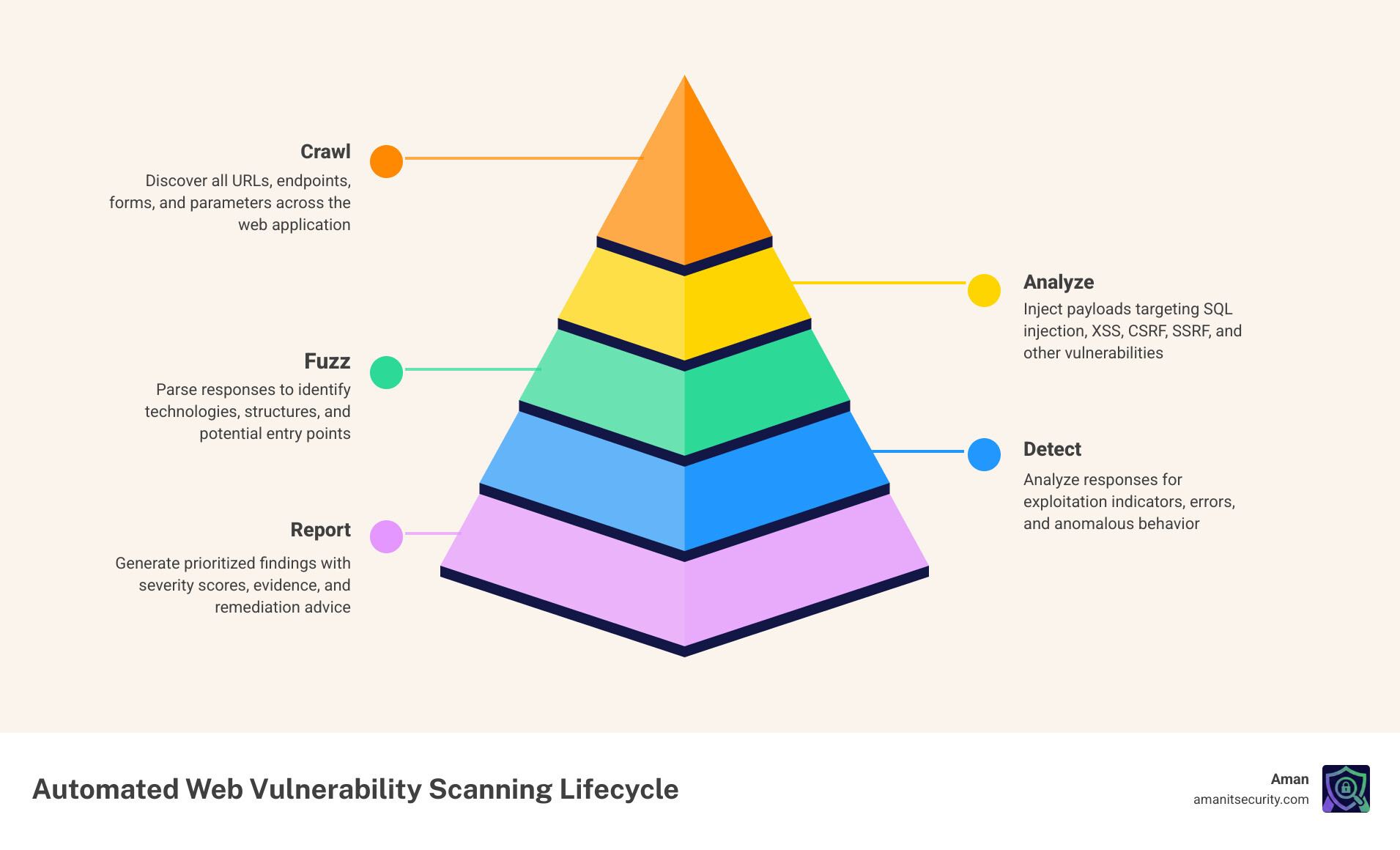
Common web vulnerability scanner free vocab:
What is a Web Vulnerability Scanner and Why Go Free?
At its core, a web vulnerability scanner is a specialized piece of software designed to find security holes in web applications. Most of the tools we’ll discuss fall under the category of Dynamic Application Security Testing (DAST).
Think of DAST as “black-box testing.” The scanner doesn’t see your source code; instead, it interacts with the running application from the outside, just like a real attacker would. It crawls your site to map the attack surface, identifies every input field, and then performs payload injection. By sending “malicious” strings to your forms and headers and analyzing the server’s response, it can tell if your app is susceptible to things like SQL Injection or Path Traversal.
Why should we bother with a web vulnerability scanner free option? For starters, 68% of cyber breaches involve human error, and many of those errors are simple misconfigurations that automated tools catch instantly. Furthermore, the Common Vulnerabilities and Exposures (CVE) Program tracks thousands of known flaws in third-party libraries. Free scanners excel at version-based CVE detection, ensuring you aren’t running an outdated version of jQuery or Bootstrap that hackers already know how to break.
By using a guide to web app vulnerability tools, we can see that free tools provide a high-value entry point for startups and individual developers who need to secure their perimeter without the five-figure price tag of enterprise suites.
Top 7 Free Web Vulnerability Scanners for 2026
The landscape of free security software is diverse. We have pure open-source projects maintained by the community, “Community Editions” of heavyweight commercial tools, and modern SaaS platforms. Each has a role to play in your infrastructure scanning guide for risk mitigation.
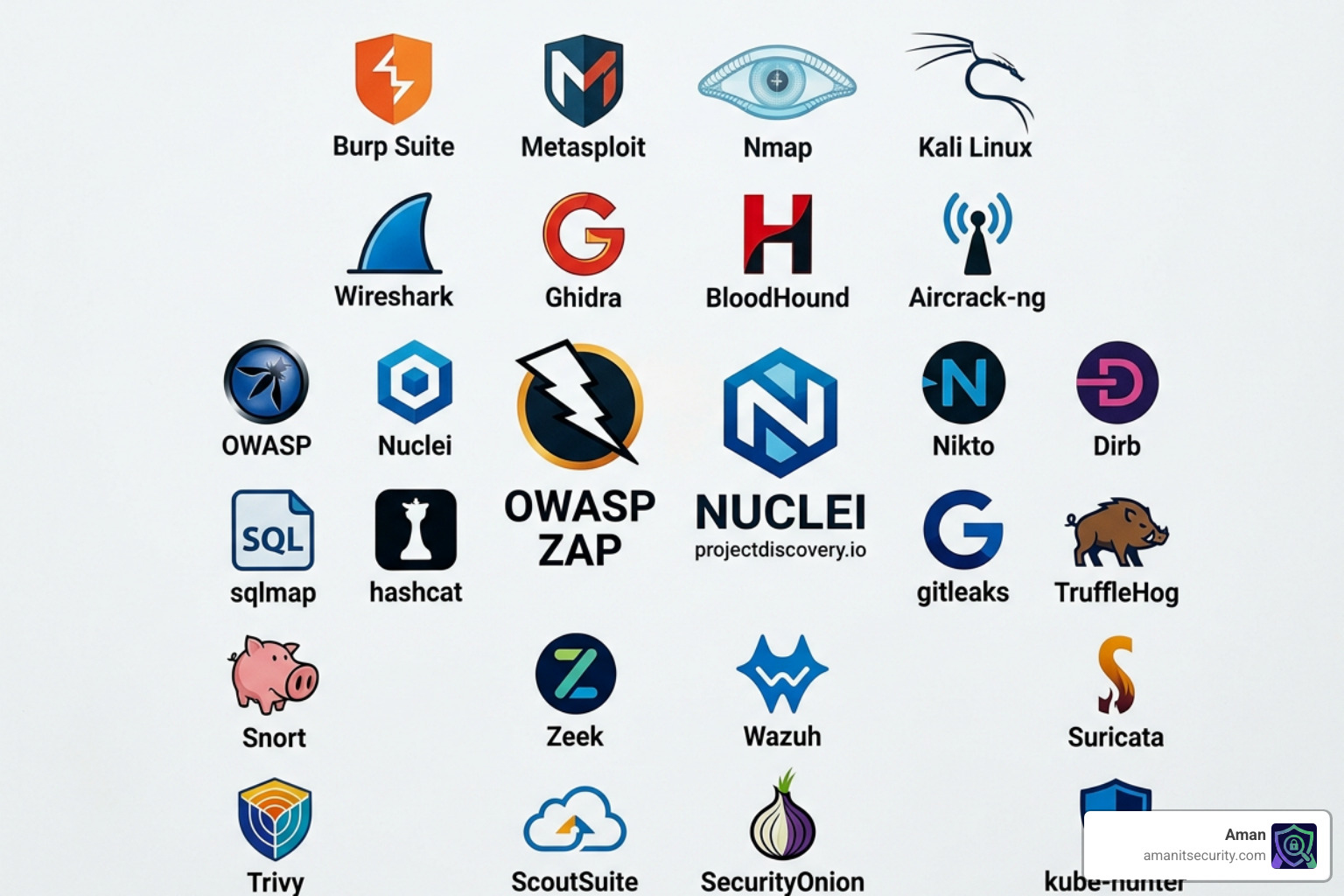
OWASP ZAP: The Best Web Vulnerability Scanner Free for Beginners
The Zed Attack Proxy (ZAP) isn’t just a tool; it’s a phenomenon. It is a GitHub Top 1000 project and arguably the world’s most widely used web app scanner. What makes ZAP the gold standard for web vulnerability scanner free seekers is its accessibility.
ZAP offers two main modes:
- Passive Testing: It watches the traffic between your browser and the server, flagging issues like missing security headers or insecure cookies without “attacking” the site.
- Active Scans: It actively tries to exploit the site using a massive library of payloads.
For beginners, the “Quick Start” button is a lifesaver. You enter a URL, and ZAP handles the spidering and scanning automatically. For advanced users, the ZAP Marketplace offers hundreds of community-contributed add-ons that extend its capabilities into API testing and advanced fuzzing. In September 2024 alone, ZAP was started millions of times, proving its reliability in the field.
Nuclei: Fast and Customizable Web Vulnerability Scanner Free Templates
If ZAP is the Swiss Army knife, Nuclei is a precision sniper rifle. Developed by ProjectDiscovery, Nuclei is a template-based scanner. It uses a simple YAML-based Domain Specific Language (DSL) to define how to look for vulnerabilities.
The beauty of Nuclei is its speed and the community behind it. When a major vulnerability like Log4Shell is discovered, a Nuclei template is usually available within hours. It is incredibly fast, making it perfect for regression testing or scanning large numbers of assets simultaneously. Because it’s a CLI tool, it integrates seamlessly into CI/CD pipelines, allowing us to fail builds if a new high-risk vulnerability is detected.
Aman Security: AI-Powered Free Scanning and Remediation
While many traditional tools give you a list of scary-looking CVE numbers and leave you to figure it out, we at Aman Security take a different approach. We offer a blazing-fast, comprehensive web vulnerability scanner free of charge that leverages AI to bridge the gap between detection and fix.
Our platform combines DAST with SAST (Static Application Security Testing) analysis. When our scanner finds a flaw, our AI doesn’t just say “XSS found.” It provides a clear explanation of why it happened and gives you specific fix suggestions tailored to your stack. For teams that don’t have a dedicated security person, these instant AI explanations and pro-grade reports are game-changers. We focus on making automated penetration testing as simple as clicking a button.
Wapiti: Python-Based Black-Box Fuzzer
Wapiti is a powerful, Python 3-based black-box fuzzer. It works by crawling the web pages of a deployed application and looking for scripts and forms where it can inject data.
Wapiti is particularly good at “endpoint discovery.” It supports modern web standards like Swagger/OpenAPI and can even use a headless Firefox browser to crawl JavaScript-heavy sites. It distinguishes between permanent and reflected XSS and can even detect TLS misconfigurations. If you are comfortable with the command line and want a tool that “thinks” like a fuzzer, Wapiti is a top-tier choice.
Nikto: Classic Web Server Assessment
Nikto is a legend in the security community. While it might not have the flashy GUI of modern tools, it is unsurpassed for checking web server misconfigurations. It scans for over 6,700 potentially dangerous files/programs and checks for outdated server versions.
Nikto is best used as a reconnaissance tool. It’s great at finding “low-hanging fruit” like exposed .git directories, backup files (e.g., config.php.bak), and insecure SSL/TLS settings. It’s a staple for Unix/Linux environments and remains a must-have in any security professional’s toolkit.
Burp Suite Community Edition: The Industry Standard for Manual Testing
Burp Suite is the tool professional pentesters use most. The Community Edition is free but comes with a major caveat: the automated vulnerability scanner is disabled.
So why use it? Because of the Interception Proxy. Burp lets you sit between your browser and the server, allowing you to pause, inspect, and modify every single request. Tools like the “Repeater” (to replay requests with slight changes) and the “Decoder” (to handle Base64 or URL encoding) are essential for manual testing. It’s the best tool for finding complex logic flaws that automated scanners often miss.
WPScan: Specialized Scanning for WordPress
WordPress powers over 75 million websites, making it a massive target for hackers. WPScan is an open-source tool specifically built to audit WordPress installations.
It checks your site against its own database of thousands of vulnerabilities in WordPress core, plugins, and themes. It can enumerate users (to find login names) and check for weak passwords. If you are running a WordPress site, using a generic scanner isn’t enough; you need the specialized intelligence that WPScan provides.
Comparing the Best Free DAST Tools
Choosing the right web vulnerability scanner free tool often depends on your specific needs. Are you looking for a tool that scans in minutes, or one that dives deep into your JavaScript?
| Feature | OWASP ZAP | Nuclei | Wapiti | Aman Security |
|---|---|---|---|---|
| Primary Interface | GUI & CLI | CLI | CLI | SaaS (Web) |
| Speed | Moderate | Blazing Fast | Moderate | Fast |
| Ease of Use | High (Quick Start) | Medium (Template-based) | Medium | High (AI-assisted) |
| Modern App Support | Strong (AJAX/SPAs) | Limited | Strong (Headless) | Strong |
| Fix Suggestions | Basic | None | None | Advanced AI |
One major concern with free tools is “false positives.” A tool might flag a vulnerability that doesn’t actually exist, wasting hours of developer time. According to WAVSEP evaluation project results, accuracy varies wildly. Pentest-Tools.com’s scanner, for example, has outperformed several commercial competitors in realistic test environments by identifying 98% of known vulnerabilities.
When you learn how to use a free security scanner without breaking the bank, you’ll find that combining tools—like using Nikto for server checks and Aman Security for app-level flaws—provides the most accurate results.
How to Integrate Free Scanners into Your Workflow
Scanning once a year isn’t enough. To be truly secure, you need to integrate these tools into your daily workflow. This is known as “shifting left”—moving security testing earlier in the development lifecycle.
- CI/CD Integration: Tools like Nuclei and ZAP can be run as part of your GitHub Actions or GitLab CI. If a scan detects a “High” severity vulnerability, the build can be automatically blocked. This is a core part of vulnerability assessment automation.
- Dockerization: Most free scanners are available as Docker images. This makes them easy to run on any machine without worrying about dependencies like Python versions or Java runtimes.
- Prioritization with CVSS: Not all vulnerabilities are created equal. Use the Common Vulnerability Scoring System (CVSS) to prioritize your fixes. Focus on anything with a score of 7.0 or higher (High/Critical) first.
- Adhere to CIS Controls: The Center for Internet Security (CIS) maintains best practices that recommend continuous vulnerability scanning. Automated tools make this compliance achievable for small teams.
Frequently Asked Questions about Free Scanners
Can a web vulnerability scanner free tool handle modern SPAs?
Yes, but not all of them. Traditional scanners struggle with Single Page Applications (SPAs) because the content is rendered in the browser via JavaScript rather than being sent as static HTML. However, modern tools like ZAP and Wapiti use “headless browsers” (like Firefox or Chrome) to execute the JavaScript and “see” the app just like a user would. This allows them to find DOM-based XSS and scan AJAX requests.
How accurate are free scanners compared to paid commercial tools?
In many cases, they are just as accurate. The main difference is often in “proof-based validation.” Commercial tools often provide screenshots or specific HTTP replays to prove a vulnerability is exploitable, which reduces false positives. However, open-source projects like ZAP are used so widely that their detection engines are incredibly refined. We at Aman Security provide AI-powered validation to ensure you aren’t chasing ghosts.
What are the main limitations of using free community editions?
Most commercial “Community Editions” (like Burp Suite or Qualys) have restrictions. Common limitations include:
- Scan Limits: You might only be able to scan one or two URLs.
- Reporting: You may not be able to export professional PDF reports.
- Automation: API access and scheduled scans are often locked behind a paywall.
- Speed: Some free tiers intentionally throttle scan speeds.
Conclusion
Building a strong security posture doesn’t require a massive budget, but it does require consistency. By leveraging a web vulnerability scanner free tool—whether it’s the community-driven power of OWASP ZAP, the speed of Nuclei, or our own AI-enhanced platform—you can find and fix 90% of the flaws that lead to data breaches.
Don’t wait for your next scheduled audit. Start with a guide to no-cost protection and run your first scan today. If you want to see how AI can make sense of your security data and provide instant fix suggestions, check out our Aman Security Free Tools. Stay safe out there!
Secure Your Apps with Aman
Put these mitigation steps into practice. Get professional-grade vulnerability detection in one place.
Launch Your First Scan Now