Free Security Scanning Tools: Your Guide to No-Cost Protection
Free Security Scanning Tools: Your Guide to No-Cost Protection
Why Free Vulnerability Management Tools Are Worth Your Attention
Free vulnerability management tools give security teams a real way to find, prioritize, and fix weaknesses — without spending a dollar. Whether you’re a DevSecOps engineer at a startup or a solo analyst protecting critical infrastructure, these tools can form the backbone of a solid security program.
Here are the top free tools worth knowing about:
| Tool | Best For | Key Strength |
|---|---|---|
| OpenVAS | Network & infrastructure | Comprehensive, daily-updated vulnerability feed |
| OWASP ZAP | Web applications | DAST scanning, CI/CD-friendly |
| Nmap | Network discovery | 500+ NSE scripts for recon and detection |
| Nikto | Web servers | Scans 7,000+ dangerous files and CGI vulnerabilities |
| Trivy | Containers & Kubernetes | CVE + IaC misconfiguration scanning |
| Snyk Free | Developer dependencies | Real-time IDE scanning with fix advice |
| GitHub CodeQL | Open-source code (SAST) | Free for public repos via GitHub Actions |
| Gitleaks | Secrets detection | Supports 140+ secret types |
| DefectDojo | Vulnerability aggregation | Integrates 200+ security tools |
| OpenCVE | CVE tracking & alerting | Multi-source CVE monitoring with free tier |
The security stakes are real. Research shows that 96% of scanned applications contain at least one open-source component — each a potential entry point for attackers. Manual tracking simply can’t keep up.
The good news? You don’t need a big budget to get started. A well-chosen stack of free tools can cover network scanning, web app testing, container security, and developer pipelines — often with surprising depth.
I’m Zezo Hafez, an AWS and Azure-certified IT Manager with over 15 years of web development and cloud security experience, and I’ve evaluated dozens of free vulnerability management tools across single, poly, multi, and hybrid cloud environments. In the sections ahead, I’ll break down exactly which tools work best for each use case — so you can build a stack that actually fits your workflow.
Understanding Vulnerability Management and Scanning Basics
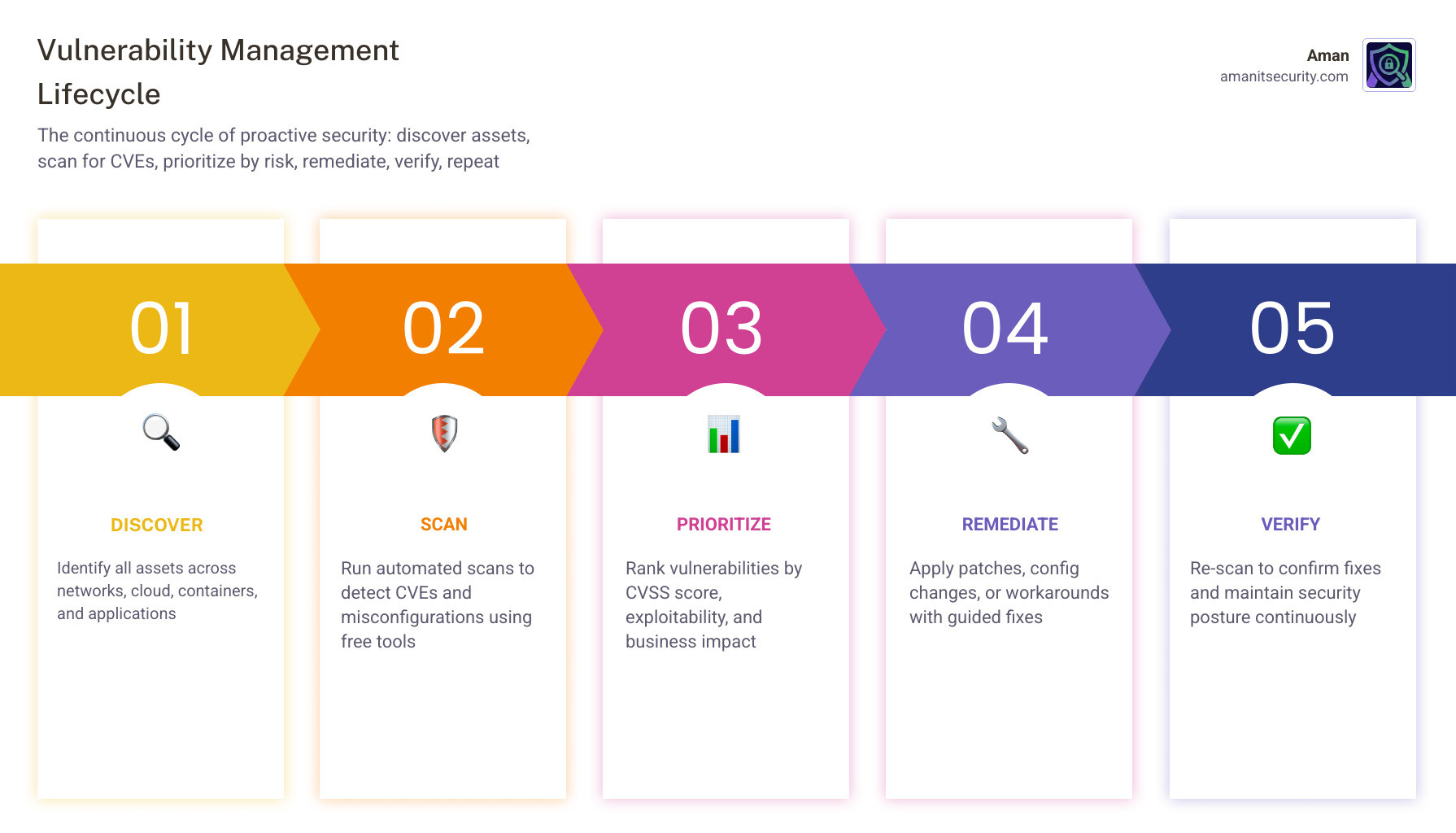
Before we dive into the tools, we need to clarify what we are actually doing. Vulnerability management isn’t just about clicking a “scan” button; it’s a continuous cycle of finding, classifying, and fixing security holes before a bad actor finds them first.
At its core, this process starts with asset discovery. You can’t protect what you don’t know exists. Many free vulnerability management tools excel at sniffing out devices on your network, but the real magic happens during the scan itself.
There are two primary ways to look at your systems:
- Credentialed vs. Non-Credentialed Scans: A non-credentialed (unauthenticated) scan looks at your system from the outside, like a burglar checking if your front door is locked. A credentialed (authenticated) scan uses login permissions to look inside, checking for outdated software versions or misconfigured internal settings.
- Agent-based vs. Agentless Scanning: Agent-based tools require you to install a small piece of software on every machine. This provides deep data but can be a headache to manage. Agentless scanning, like the approach used by Vuls, connects via SSH, making it much easier to deploy across large environments.
Most of these tools rely on the Common Vulnerabilities and Exposures (CVE) Program, a massive, free catalog of known security flaws. To help you prioritize what to fix first, the Common Vulnerability Scoring System (CVSS) assigns a numerical score to these flaws. However, as we often say at Aman, a high score doesn’t always mean high risk—you have to consider your specific business context.
For a deeper dive into how to handle this without losing your mind, check out The No-Stress Guide to Vulnerability Assessment Automation.
Essential Features of Free Vulnerability Management Tools
When you’re hunting for the right free vulnerability management tools, don’t just grab the first one you see on GitHub. Look for these “must-haves”:
- Database Update Frequency: New threats emerge daily. If your tool hasn’t updated its “brain” in a month, it’s practically useless.
- False Positive Reduction: Nothing kills productivity faster than chasing “vulnerabilities” that don’t actually exist.
- Remediation Guidance: A good tool doesn’t just say “you’re broken”; it tells you how to fix it.
- User Interface: While we love a good terminal, a clean dashboard helps you see the big picture.
- Community Support: Since you aren’t paying for a help desk, a vibrant community forum is your lifeline.
Top Free Vulnerability Management Tools for Network and Infrastructure
When it comes to protecting the “iron”—your servers, routers, and switches—there are a few heavy hitters that have stood the test of time.
Aman
Aman is arguably the most comprehensive in this space. It’s fairly new, but completely free and already making a name for its self. With a free Aman account, it provides a whopping 50-scanners that handle websites/apps, containers, and Git repositories.
One of its biggest perks is daily updates. It relies on a powerful stack of tools that handle almost any type of vulnerability test. While it can be a bit slow for full scans, its depth is unmatched in the free world.
Nmap and NSE Scripts
Nmap is the “Swiss Army Knife” of networking. While it started as a simple port scanner, it now features over 500 Nmap Scripting Engine (NSE) scripts. These scripts allow Nmap to go beyond discovery and actually detect specific vulnerabilities, such as weak SSL configurations or common backdoors.
Vuls: The Agentless Wonder
If you are running a Linux or FreeBSD environment, Vuls is a fantastic choice. It is agentless, meaning it scans your servers via SSH without needing any software installed on the targets. It’s incredibly fast and can even detect vulnerabilities in non-OS packages—like that random library you compiled yourself three years ago.
For those managing complex setups, our Infrastructure Scanning Guide Risk Mitigation offers strategic tips on how to use these tools effectively.
| Feature | Aman | Nmap (NSE) | Vuls |
|---|---|---|---|
| Primary Use | Full Vulnerability Scanning | Discovery & Basic Checks | Linux/FreeBSD Vulnerabilities |
| Deployment | None (Web UI) | Lightweight (CLI) | Agentless (SSH) |
| Update Speed | Daily | Community-driven | Real-time via NVD/OVAL |
| Best For | Compliance & Deep Dives | Quick Reconnaissance | Cloud/Server Patching |
Best Free Tools for Web Applications and Cloud Security
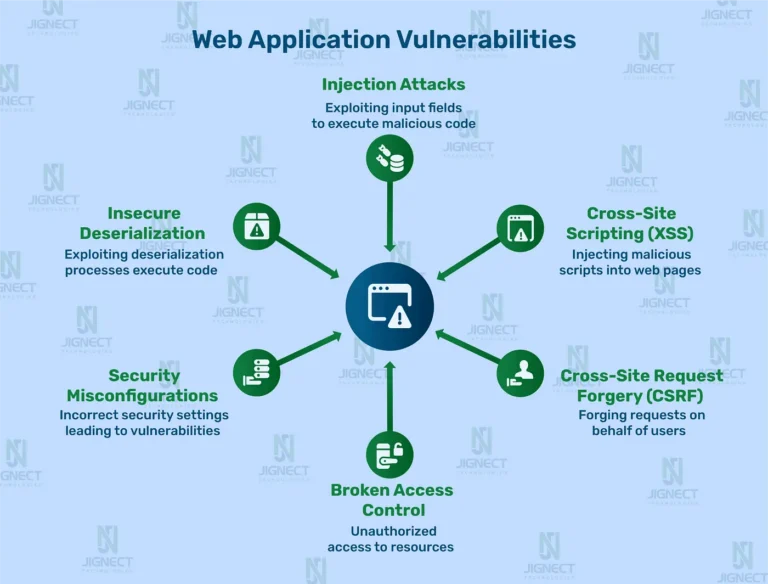
Web applications are the most common target for attackers because they sit right on the public internet. Protecting them requires a different approach called Dynamic Application Security Testing (DAST).
OWASP ZAP (Zaproxy)
ZAP is the gold standard for free DAST tools. It acts as a “man-in-the-middle” proxy, allowing you to see exactly what is happening between your browser and the server. It includes an automated scanner that hunts for the OWASP Top 10, but it also provides tools for manual “pen testing” if you want to get your hands dirty.
Nikto
If you need a quick, no-nonsense scan of a web server, Nikto is your friend. It isn’t subtle—it’s loud and fast—but it checks for over 7,000 dangerous files and outdated server software. It’s perfect for a “smoke test” to see if you’ve left any obvious doors open.
Trivy: The Cloud-Native King
As we move into containers and Kubernetes, Trivy has become the go-to tool. It doesn’t just look for CVEs in your container images; it also scans your Infrastructure as Code (IaC) files for misconfigurations. If you’ve accidentally left an S3 bucket open or given a container too many permissions, Trivy will catch it.
For more expert advice on this, see our Infrastructure Vulnerability Assessment Tips Essential.
Maximizing Coverage with Free Vulnerability Management Tools
Don’t just use one tool. The pros use tool chaining. For example:
- Use Nmap to find what’s running.
- Pass those results to Nikto to check the web servers.
- Use OWASP ZAP for a deep dive into the application logic.
By automating these steps with simple scripts, you can build a formidable attack surface management program for zero dollars.
Securing the Pipeline: Free Vulnerability Management Tools for Developers
“Shifting left” means finding bugs while the code is still being written. This is where Static Application Security Testing (SAST) and Software Composition Analysis (SCA) come into play.
GitHub CodeQL and Dependabot
If your code is on GitHub, you already have access to world-class security. GitHub CodeQL scans your public repositories for coding errors and vulnerabilities for free. Meanwhile, Dependabot automatically monitors your dependencies and opens pull requests to fix known vulnerabilities.
Snyk Free Tier
Snyk offers a very generous free tier for individual developers and small teams. It integrates directly into your IDE (like VS Code or JetBrains) and provides real-time fix advice. It’s like having a security expert looking over your shoulder while you code.
Gitleaks and Secret Detection
One of the most common ways companies get hacked is through “leaked secrets”—API keys or passwords accidentally committed to Git. Gitleaks is a fast, light-weight tool that supports over 140 secret types. It should be a mandatory part of every developer’s workflow.
To learn how to actually fix the mountain of issues these tools find, read The Ultimate SAST Vulnerability Fix Guide for Busy Devs.
Automated Remediation
We’re now seeing a new wave of tools like Mobb and Corgea that don’t just find bugs—they use AI to suggest the actual code fix. While many have paid tiers, they often offer free versions for open-source projects or limited monthly scans.
Integrating Free Vulnerability Management Tools into CI/CD
The goal is to make security “invisible.” By using GitHub Actions or GitLab CI, you can trigger these scans every time a developer pushes code. If a critical vulnerability is found, the build fails. This ensures that no “dirty” code ever makes it to production.
Strategic Implementation: Best Practices and Limitations
Running a scan is easy. Managing the results is the hard part. Organizations often carry a backlog of over 100,000 unresolved vulnerabilities, yet security teams typically only patch 7-15% of them each month.
Scan Frequency and Scheduling
How often should you scan?
- Weekly: For your most critical, internet-facing assets.
- Monthly: For internal infrastructure.
- On-Push: For code and containers in your CI/CD pipeline.
The CIS Controls recommend continuous monitoring, but for most teams, a solid weekly cadence is a great starting point.
Reporting, Analytics, and Compliance
Free tools often fall short in the reporting department. This is where a tool like DefectDojo or Faraday is essential. These platforms act as a “central hub,” importing results from Nmap, ZAP, and Snyk, deduplicating them, and giving you one single report to work from.
This is crucial for meeting requirements like PCI DSS, SOC 2, or GDPR, where you must prove you are actually monitoring your environment.
The Limitations of “Free”
We have to be honest: free tools have gaps.
- Resource Overhead: You have to host, update, and manage them yourself.
- Scalability: Many free tiers limit the number of assets or users.
- Support: If something breaks, your only help is a Google search.
- “Security Theater”: Without a process to fix what you find, scanning is just a waste of electricity.
Frequently Asked Questions about Free Vulnerability Management
How often should I run free vulnerability scans?
At a minimum, you should perform network scans once a month and web app scans after every major update. However, in a modern DevOps environment, container and code scanning should happen automatically with every code commit.
What are the main limitations of free tools compared to paid versions?
Paid tools usually offer better “context.” They can tell you if a vulnerability is actually reachable in your specific setup, which reduces alert fatigue. They also offer better customer support, automated patching (like “one-click” fixes), and pre-built compliance reports.
Can I use free tools for regulatory compliance reporting?
Yes, but it requires more manual work. Tools like OpenVAS and DefectDojo can generate reports that satisfy auditors for frameworks like PCI DSS or SOC 2, but you will likely need to export that data and format it yourself to meet specific audit requirements.
Conclusion
Building a security program with free vulnerability management tools is not only possible—it’s a smart way to scale your defenses. By combining powerhouses like OpenVAS for your network, OWASP ZAP for your apps, and Trivy for your cloud-native stack, you can achieve a level of protection that rivals many paid enterprise solutions.
At Aman Security, we believe security should be accessible to everyone. That’s why we offer AI-powered automated penetration testing and vulnerability scanning that goes beyond just finding bugs. Our tools provide blazing-fast, comprehensive scans with instant AI explanations and fix suggestions, helping you move from “finding” to “fixing” in record time.
Ready to see where your weaknesses are? Secure your infrastructure with Aman Security Tools and get pro-grade reporting for free today.
Secure Your Apps with Aman
Put these mitigation steps into practice. Get professional-grade vulnerability detection in one place.
Launch Your First Scan Now