
The Ultimate SAST Vulnerability Fix Guide for Busy Devs
The Ultimate SAST Vulnerability Fix Guide for Busy Devs
Why Every Dev Team Needs a SAST Vulnerability Fix Guide
A SAST vulnerability fix guide gives developers a clear, repeatable process to find and fix security flaws in source code — before those flaws ever reach production.
Here’s the quick answer if you’re short on time:
How to fix SAST vulnerabilities in 4 steps:
- Detect – Run automated SAST scans on every commit to surface insecure code patterns
- Prioritize – Rank findings by severity, exploitability, and business impact
- Fix – Apply secure coding patterns (parameterized queries, output encoding, secrets management)
- Validate – Rescan, run regression tests, and monitor continuously in your CI/CD pipeline
The cost gap between early and late fixes is stark. A SQL injection caught during code review takes roughly five minutes to fix. The same flaw found in production triggers incident response meetings, emergency patches, and customer notifications. That’s not a security problem — that’s a business problem.
Yet most dev teams still treat SAST as a checkbox. Scans run too late. Findings pile up. Developers drown in false positives. And real vulnerabilities slip through.
This guide changes that. Whether you’re dealing with injection flaws, hardcoded credentials, or XSS — you’ll get a practical, AI-assisted workflow to go from alert to fix, fast.
I’m Zezo Hafez, an AWS and Azure certified IT manager with over 15 years of web development experience, and I’ve built this SAST vulnerability fix guide to help busy DevSecOps teams cut through the noise and ship secure code without slowing down. The sections ahead walk you through every stage of the remediation process, from automated triage to CI/CD integration.
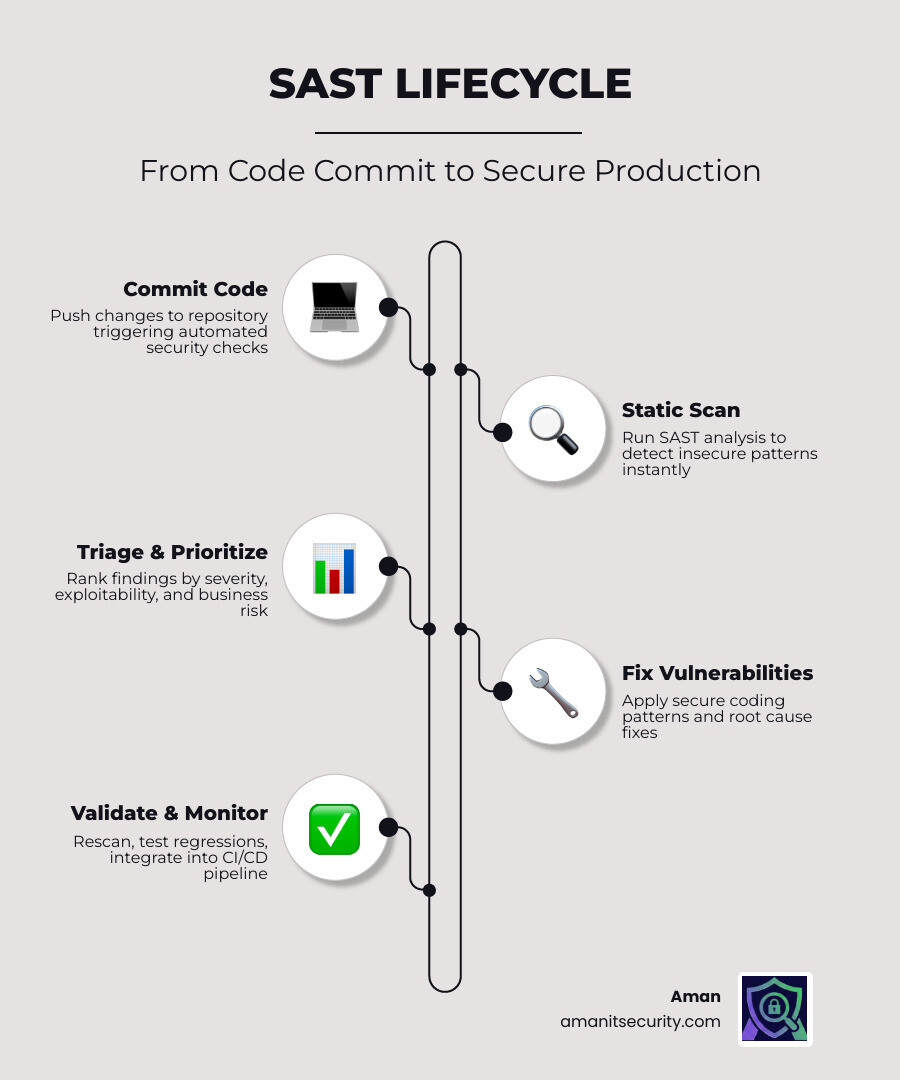
The SAST Vulnerability Fix Guide: A 4-Step Remediation Workflow
When we first start running static analysis, the sheer volume of “flaws” can feel like a tidal wave. We’ve seen teams open a dashboard for the first time only to find 4,000 alerts staring back at them. It’s enough to make anyone want to close the laptop and go for a very long walk.
However, vulnerability remediation isn’t about fixing everything at once. It’s about a structured process. For a deeper look at the tech behind this, check out The Ultimate Guide to Choosing an AI SAST Analysis Tool.
Step 1: Automated Detection and Triage
The journey begins with detection. Static Application Security Testing (SAST) works by scanning your source code — not the running application — to find insecure coding patterns.
Modern tools use two main methods:
- Rule-based engines: These use thousands of predefined patterns to match known insecure code. Think of it as a very smart “find and replace” for security bugs.
- AI-powered scanning: This is where things get exciting. AI doesn’t just look for patterns; it understands context. It can perform “reachability analysis” to see if a piece of vulnerable code can actually be triggered by an end-user.
At Aman, we recommend starting with an open-source SAST tool or a free scanner to establish a baseline. The goal here is to get results into the hands of developers as they write code, ideally within their IDE.
Step 2: Prioritizing Findings in Your SAST Vulnerability Fix Guide
Not all bugs are created equal. A vulnerability in a dead internal endpoint isn’t the same as one in a public API handling production data. To prioritize effectively, we look at:
- Severity: How much damage could this cause? (e.g., Critical, High, Medium, Low).
- Exploitability: How easy is it for a hacker to use this?
- Business Impact: Does this touch sensitive customer data or financial records?
We often use the OWASP Risk Rating Methodology to calculate a risk score. If you’re feeling overwhelmed, use the “Fix First” approach: focus on high-impact areas that are easy to remediate. This builds momentum and cleans up the most dangerous “low-hanging fruit” first.
Step 3: Executing the SAST Vulnerability Fix Guide for Custom Code
This is where the actual work happens. Remediation is the process of fixing the root cause of a vulnerability. Unlike mitigation (which just puts a band-aid on it), remediation involves changing the code to eliminate the flaw entirely.
When fixing custom code, we look for Role Automated Security Tools that provide “auto-fix” suggestions. For example, if a scanner finds a SQL injection, an AI-powered tool can actually generate the parameterized query for you. This reduces the time spent Googling “how to fix XSS in Python” and keeps you in the flow of development.
Step 4: Validation and Continuous Monitoring
Once you’ve committed the fix, you’re not done yet. You must validate it. This involves:
- Rescanning: Run the SAST tool again to ensure the alert is gone.
- Regression Testing: Ensure your security fix didn’t break the application’s functionality. (Nothing kills developer morale like a security patch that crashes the site).
- Continuous Monitoring: Set up real-time alerts.
By using a standard SAST report file schema, we can track these vulnerabilities over time and ensure they don’t reappear in future releases.
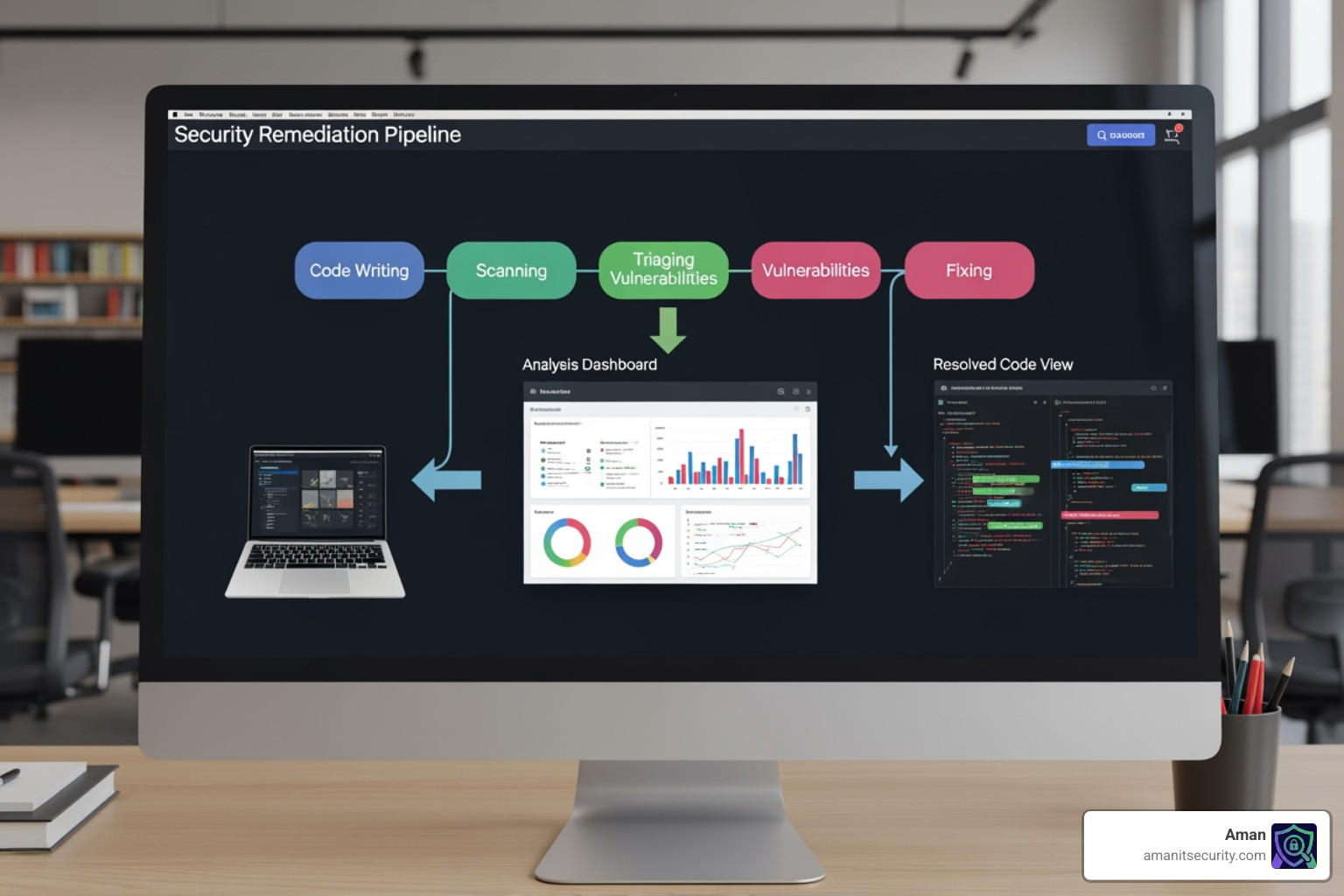
Prioritizing and Fixing Common SAST Vulnerabilities
To make this SAST vulnerability fix guide truly actionable, we need to talk about the “usual suspects.” These are the flaws that appear in almost every codebase, often mapped to the OWASP Top 10 and the SANS Top 25.
| Vulnerability Type | Remediation Effort | Business Risk | Primary Fix Strategy |
|---|---|---|---|
| SQL Injection | Low | Critical | Parameterized Queries |
| Cross-Site Scripting (XSS) | Medium | High | Output Encoding |
| Broken Authentication | High | Critical | Multi-Factor Auth / Standard Libs |
| Hardcoded Secrets | Low | High | Secrets Management |
| Path Traversal | Medium | Medium | Input Validation |
Remediation for Injection Flaws
Injection flaws happen when untrusted data is sent to an interpreter as part of a command or query.
- The Fix: Always use parameterized queries (also known as prepared statements). This separates the code from the data, making it impossible for an attacker to alter the query logic.
- Secondary Defense: Implement strict input validation. If you expect a zip code, don’t accept a 500-character string containing SQL keywords.
- Advanced Note: Watch out for insecure deserialization. If you are taking serialized objects from users, you are asking for trouble. Use standard, safe data formats like JSON instead.
Fixing Cross-Site Scripting (XSS) and Path Traversal
XSS occurs when an application includes untrusted data in a web page without proper validation or escaping.
- The Fix: Use context-aware output encoding. This means converting characters like
<and>into their HTML entity equivalents (<and>) before rendering them in the browser. - Content Security Policy (CSP): Deploy a strong CSP header to restrict where scripts can be loaded from. This is a powerful "defense in depth" measure.
For path traversal weaknesses, ensure your application never uses user-supplied input directly in file system APIs. Always "canonicalize" the path and validate that the resulting file is within the intended directory.
Securing Hardcoded Credentials and Cryptography
We've all done it: left a "test" API key in the code for just a minute, only to have it committed to the repo forever.
- The Fix: Use Secrets Management tools (like AWS Secrets Manager, HashiCorp Vault, or Azure Key Vault).
- Environment Variables: Store configuration and secrets in environment variables, never in the source code.
- Cryptography: Avoid improper cryptography. Never roll your own crypto. Use standard, high-level libraries (like NaCl or Tink) and avoid outdated algorithms like MD5 or SHA-1 for security-sensitive operations.
Advanced Strategies for a SAST Vulnerability Fix Guide
Once you've mastered the basics, it's time to level up. Modern AppSec isn't just about finding bugs; it's about reducing friction. If security tools make a developer's life harder, they will find a way to bypass them. For more on tools that actually help, see 3 AI Security Audit Tools That Will Not Make You Nap.
Reducing False Positives with AI and Tuning
The biggest complaint about SAST is "noise." A false positive is when a tool flags code as vulnerable when it actually isn't. This can happen because the tool doesn't understand your custom unsafe authentication flows or sanitizers.
To reduce noise:
- Tune Aggressively: Disable rules that consistently produce low-value alerts.
- Custom Rulesets: Write rules that are specific to your architecture. If you have a custom
sanitize()function, tell the SAST tool about it so it stops flagging "unsanitized" input. - AI Triage: Use AI to "auto-triage" findings. AI can look at a call tree to see if the vulnerable sink is actually reachable from a public source.
Integrating SAST into CI/CD for Automated Remediation
To truly achieve "shift-left" security, SAST must be part of the pipeline.
- Pipeline Gates: Configure your CI/CD to fail the build if a "Critical" or "High" vulnerability is detected.
- Incremental Scanning: Don't scan the whole repo every time. Use incremental scans to analyze only the files that changed in the current Pull Request. This keeps scan times low (often under 60 seconds).
- Mobile Considerations: If you're building for iOS or Android, read our guide on How to Implement SAST for Mobile Apps Without Losing Your Mind.
Measuring Success with Security Metrics
You can't improve what you don't measure. We track these metrics to see if our SAST vulnerability fix guide is actually working:
- Mean Time to Remediate (MTTR): How long does it take from the moment a bug is found to the moment it's fixed?
- Vulnerability Density: How many flaws are we finding per 1,000 lines of code?
- True Positive Rate: What percentage of our alerts are actual bugs?
Overcoming Limitations: Remediation vs. Mitigation
Sometimes, you simply can't fix the code. Maybe it's a legacy system no one understands, or a third-party library you don't control. In these cases, we have to talk about the difference between remediation and mitigation.
When to Choose Mitigation Over Remediation
Remediation is the gold standard - it fixes the root cause. Mitigation reduces the risk without fixing the actual bug.
- Legacy Systems: If fixing a bug requires a total rewrite of a 10-year-old system, you might choose to "mitigate" by putting it behind a strict VPN or a Web Application Firewall (WAF).
- Third-Party Dependencies: If a library has a flaw but no update is available, you might use a "compensating control" to block the specific attack vector.
- Risk Acceptance: For very low-risk issues, the business might simply decide to accept the risk.
For more on these strategies, refer to the MITRE guidelines on compensating controls or this SANS white paper on taint analysis.
Complementing SAST with SCA and DAST
SAST is powerful, but it's not a silver bullet. It has blind spots - specifically, it can't see runtime configuration or vulnerabilities in your dependencies.
- SCA (Software Composition Analysis): Scans your open-source libraries. Since 80-90% of modern apps are built from third-party code, this is essential.
- DAST (Dynamic Application Security Testing): Tests the running app. It finds things SAST misses, like server misconfigurations or session management flaws.
- IAST (Interactive): A hybrid approach that sits inside the app while it's running.
Think of SAST as checking the blueprints of a house, while DAST is like trying to kick the front door down to see if it's actually locked. You need both for a complete security posture.
Frequently Asked Questions about SAST Vulnerability Fixing
How do I reduce SAST noise without missing real bugs?
Start by focusing only on "High" and "Critical" severity issues with "High Confidence" scores. Gradually expand your scope as you tune your rules. Don't be afraid to suppress alerts in test files or documentation directories.
What is the difference between a SAST flaw and a DAST vulnerability?
A "flaw" is a coding error found in the source code (e.g., using an unsafe function). A "vulnerability" in DAST is a bug that is actually exploitable in the running environment (e.g., a successful SQL injection attack against the live database).
Can AI automatically fix all my SAST findings?
Not all of them, but it’s getting closer. AI is excellent at fixing standard patterns like SQLi, XSS, and insecure configurations. However, complex business logic flaws still require a human developer to understand the "intent" of the code.
Conclusion
Building a secure application shouldn't feel like a second full-time job. By following this SAST vulnerability fix guide, you can automate the boring parts of security and focus on what you do best: building great software.
At Aman Security, we believe security should be fast, comprehensive, and accessible. Our platform offers blazing-fast SAST analysis and automated penetration testing with instant AI explanations and fix suggestions. The best part? You can get started for free.
Ready to stop chasing bugs and start shipping secure code? Secure your code with Aman today and see how our AI-powered tools can transform your DevSecOps workflow.
Secure Your Apps with Aman
Put these mitigation steps into practice. Get professional-grade vulnerability detection in one place.
Launch Your First Scan Now